Self-hosted · 7 database engines · runs in your browser
One browser IDE for every database you run
Browse schemas, edit data, write SQL with schema-aware autocomplete, read execution plans and move data in and out of PostgreSQL, MySQL, MariaDB, SQLite, SQL Server, Oracle and Redis. Your credentials never reach the browser.
Guests need no sign-up. Guest data is saved only in this browser. Create an account to keep it across devices.
Works withPostgreSQLMySQLMariaDBSQLiteSQL ServerOracleRedis
Built for daily database work
Everything you reach for, in one place
DBHub replaces a desktop client per engine with one fast web app that your whole team can use.
Data grid
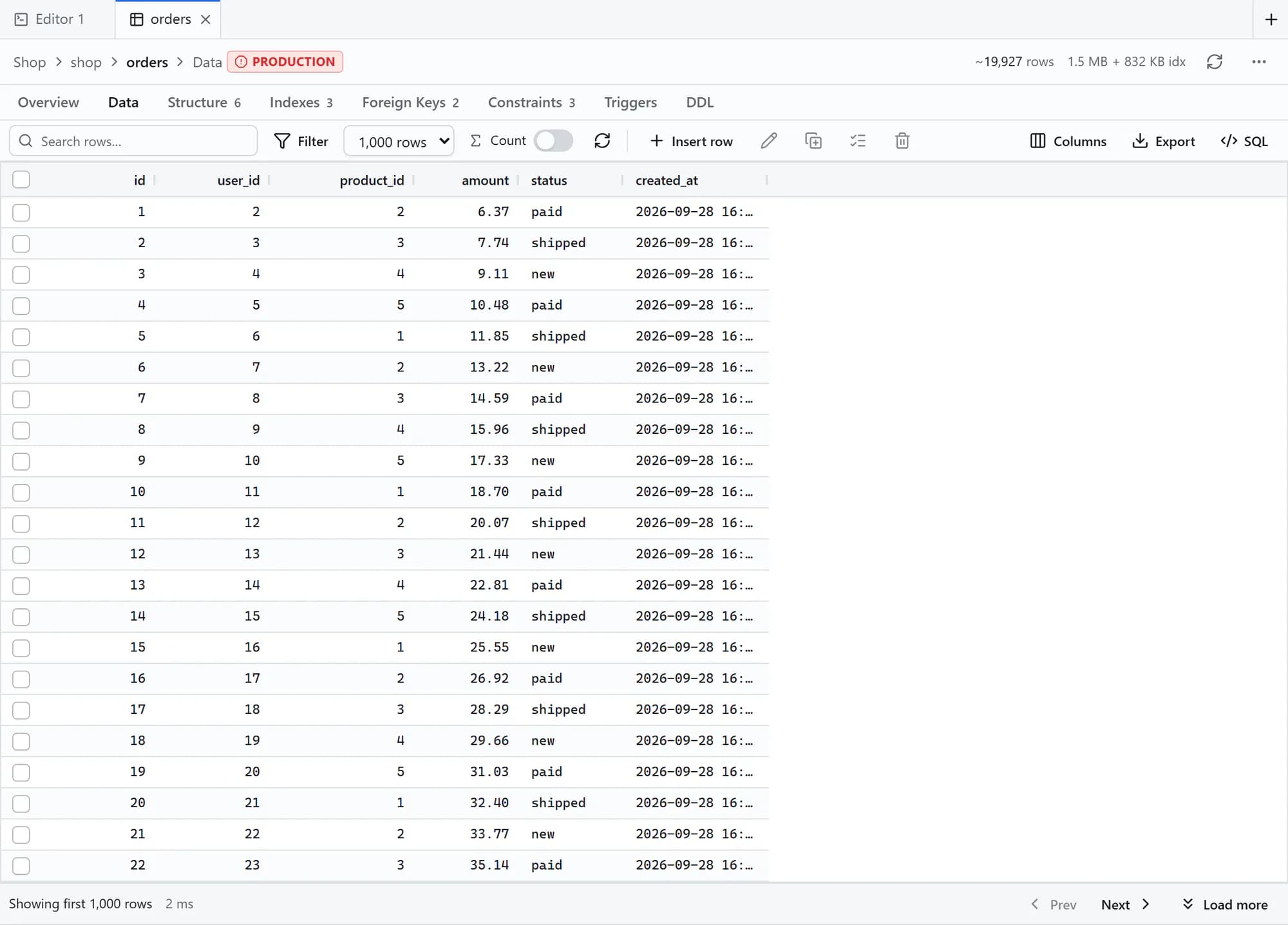
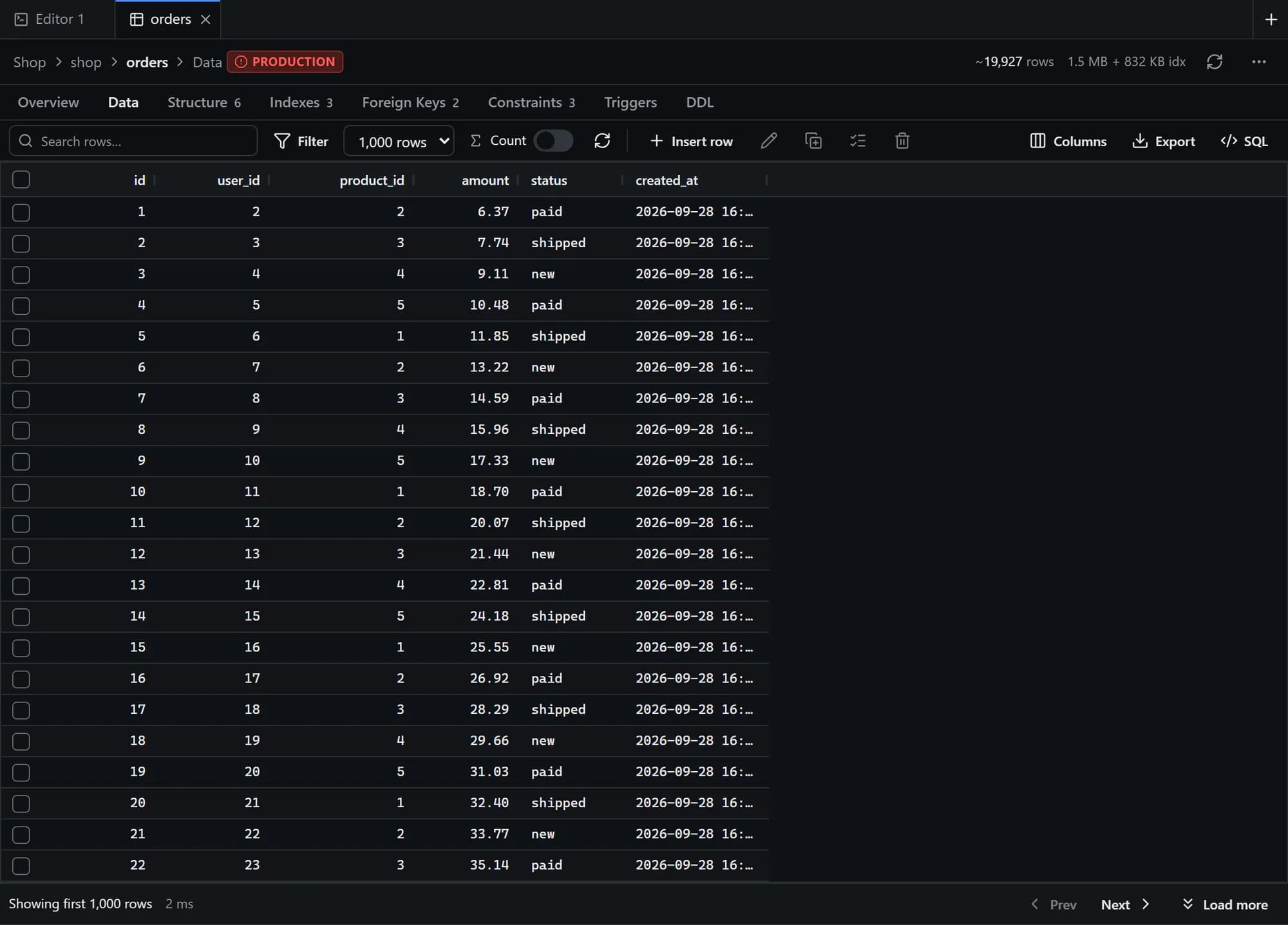
Browse and edit data without writing SQL
Open any table on a fast, virtualised grid. Paging, sorting and filtering run on the server, so large tables open as quickly as small ones.
Inline editing with optimistic-concurrency conflict detection
Insert, duplicate, delete and bulk update with an SQL preview
Structure, indexes, foreign keys, triggers and DDL one tab away
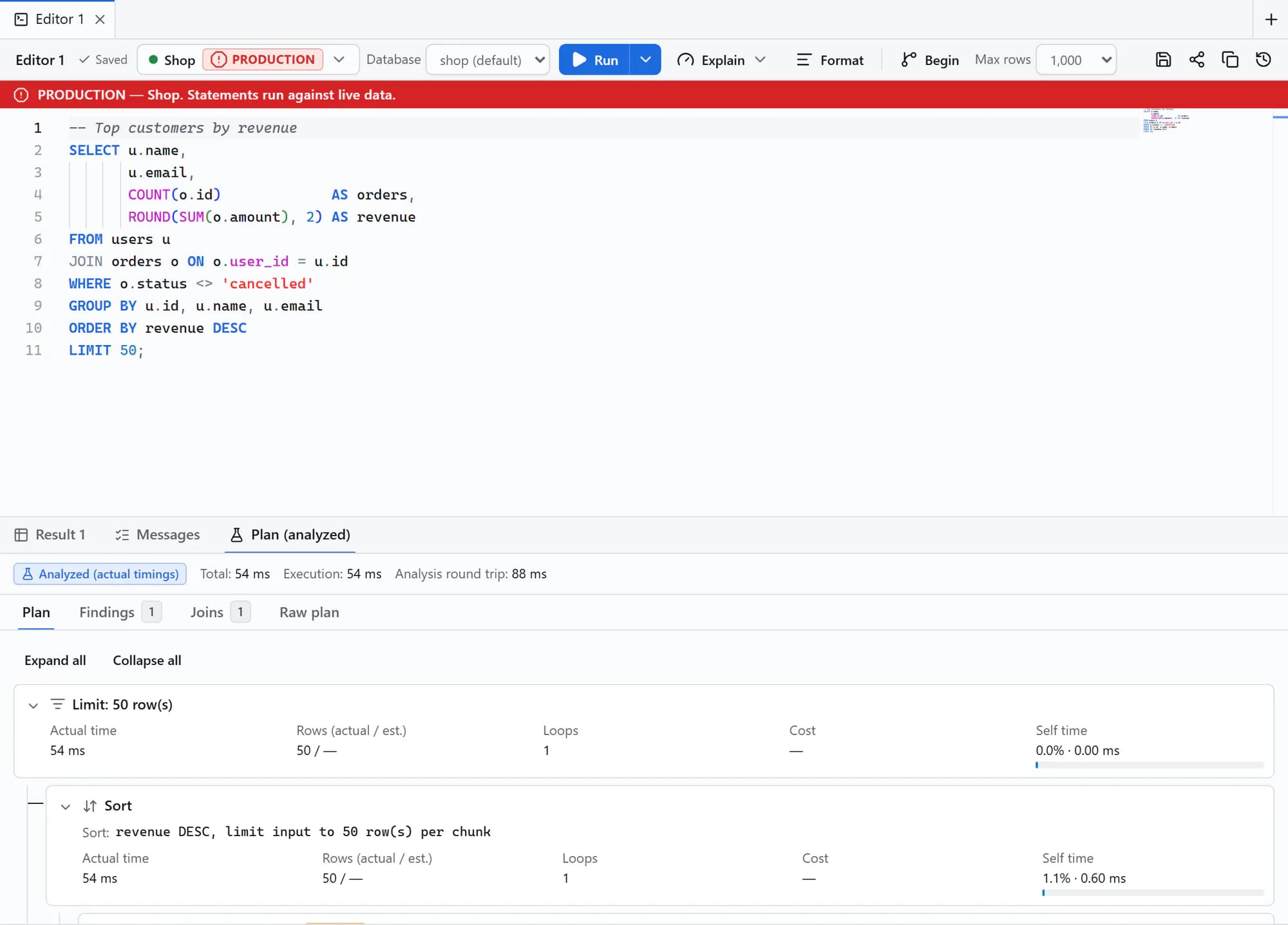
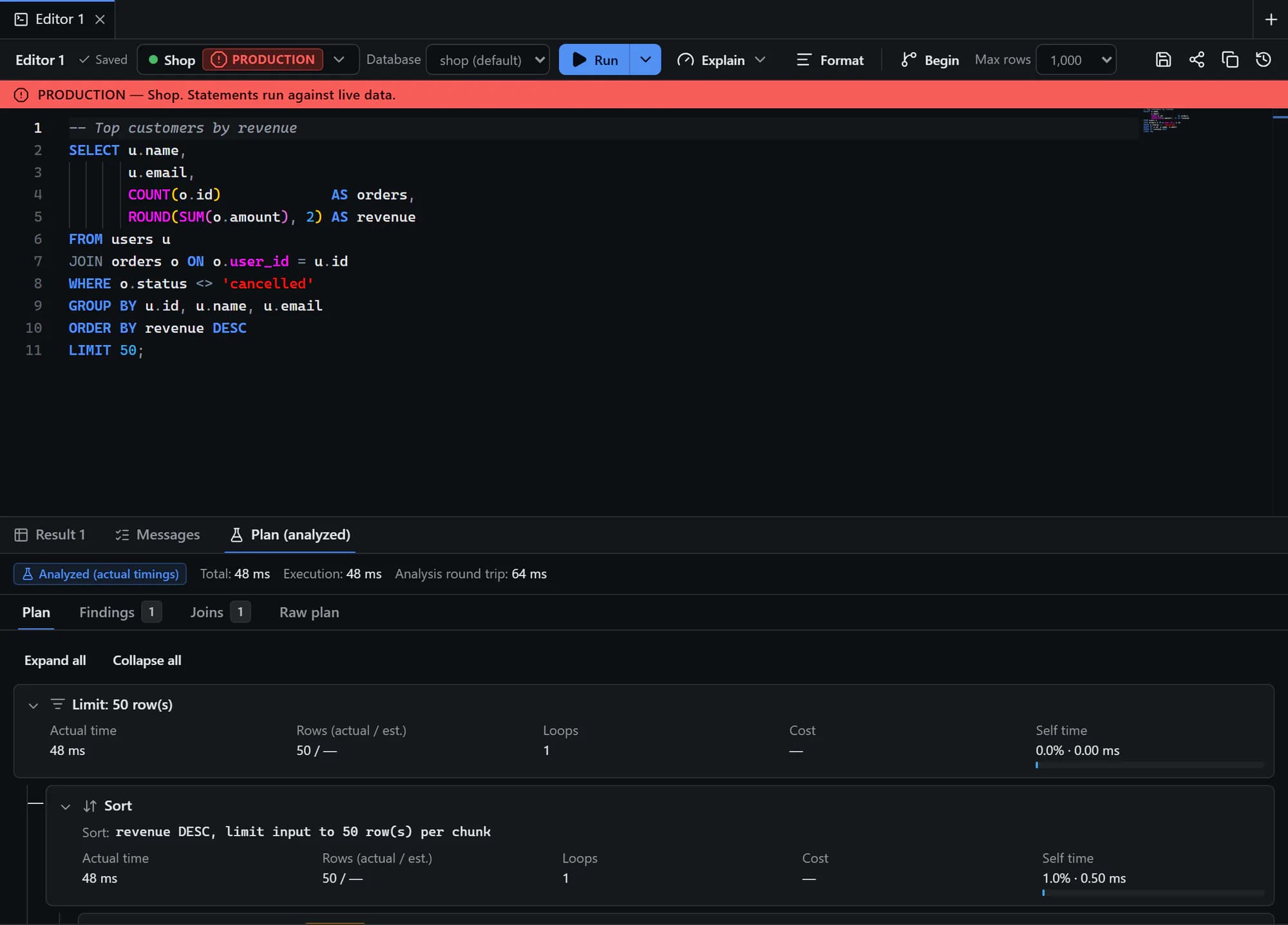
Execution plans
See exactly why a query is slow
Run EXPLAIN or EXPLAIN ANALYZE from the editor and read the plan as a tree with real timings, row estimates and the share of time spent in each step.
Findings for full scans, misestimates and expensive sorts
Join analysis and index suggestions
Data-modifying statements are analysed inside a rolled-back transaction
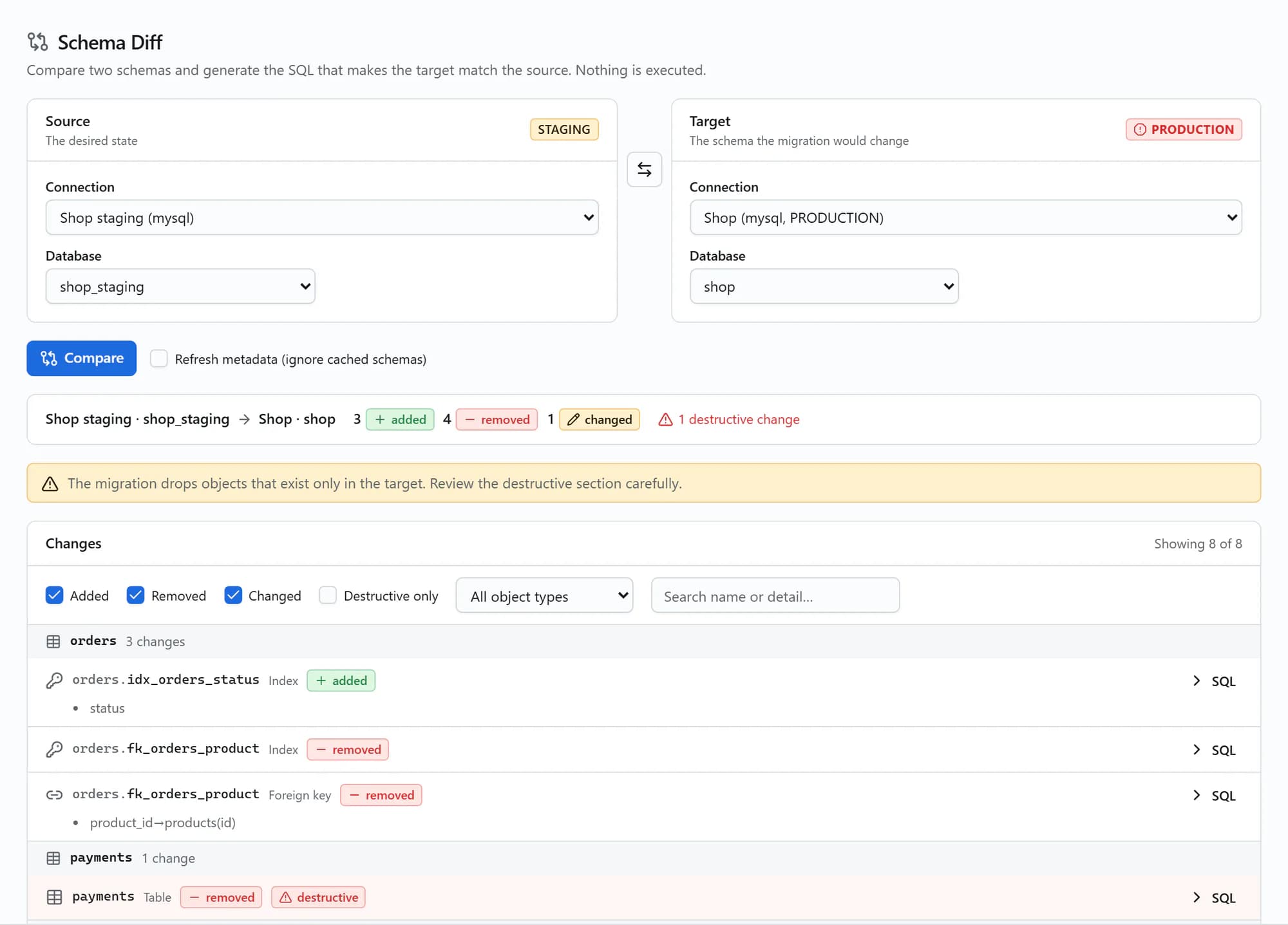
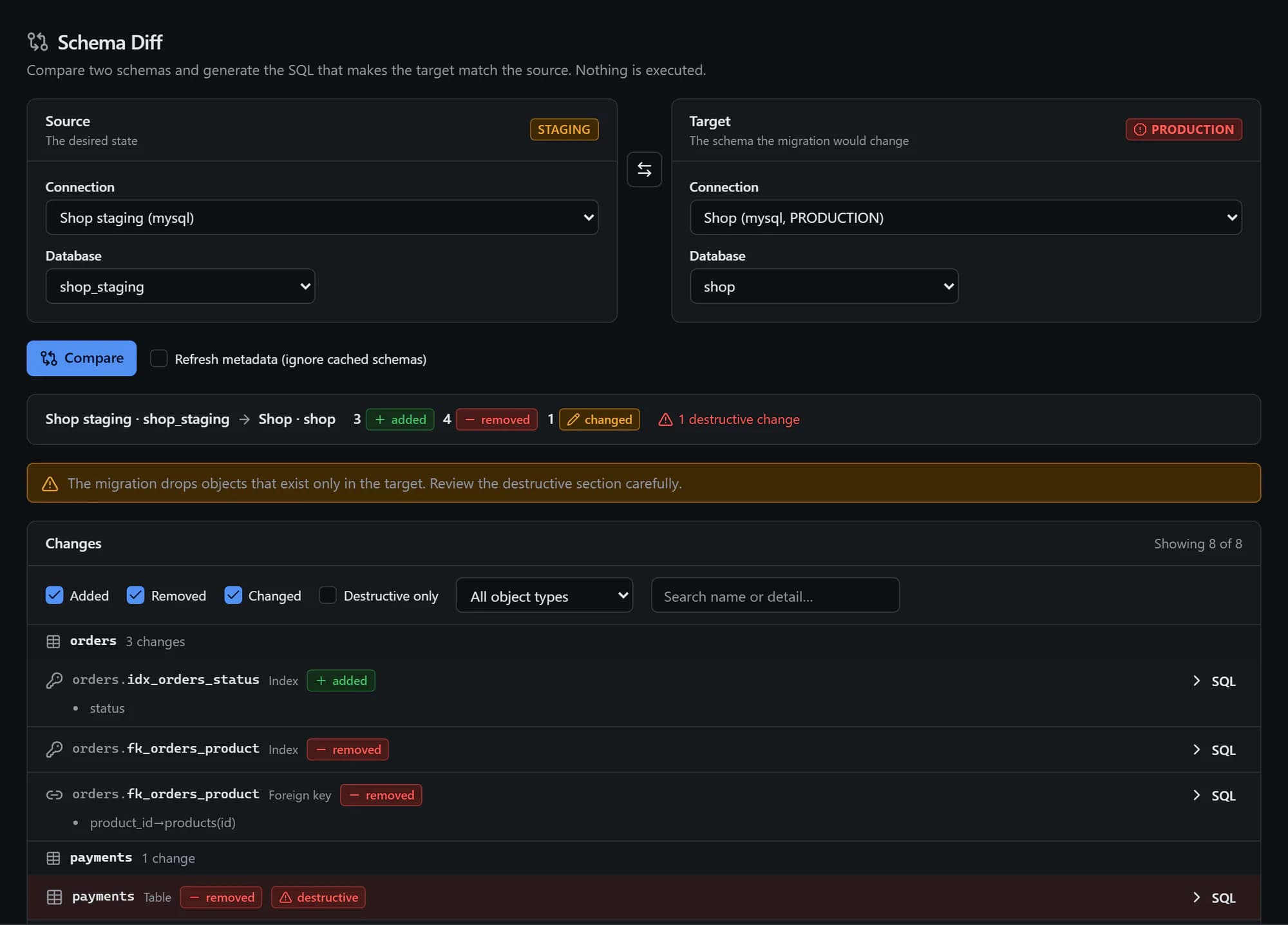
Schema diff
Ship schema changes with confidence
Pick a source and a target, such as staging and production, and DBHub lists every added, removed and changed object, then writes the migration SQL for you.
Destructive changes are highlighted before you copy anything
Filter by change type, object type or name
Nothing is executed. You decide when and where to run it
Imports & exports
Move data in and out in the background
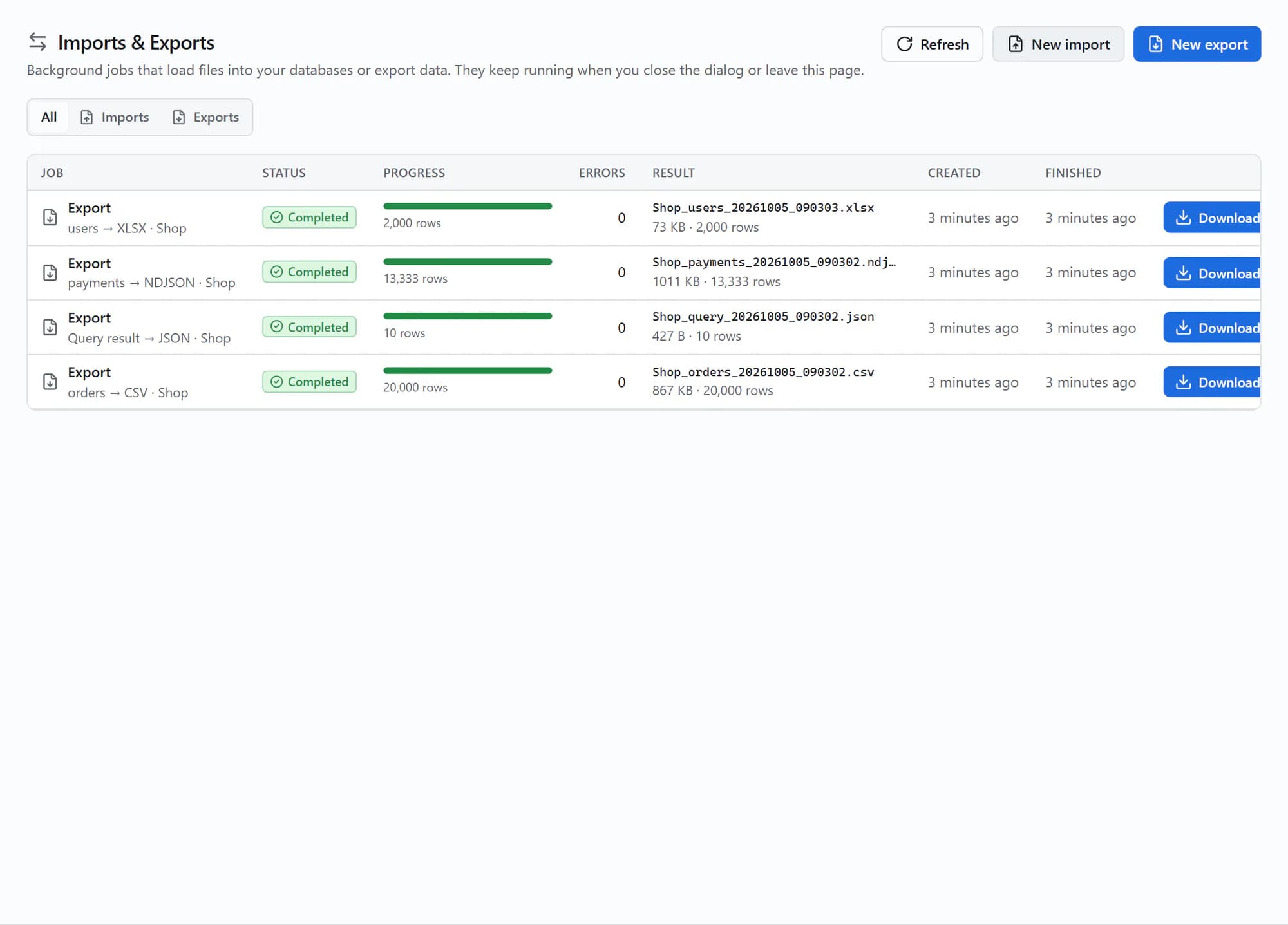
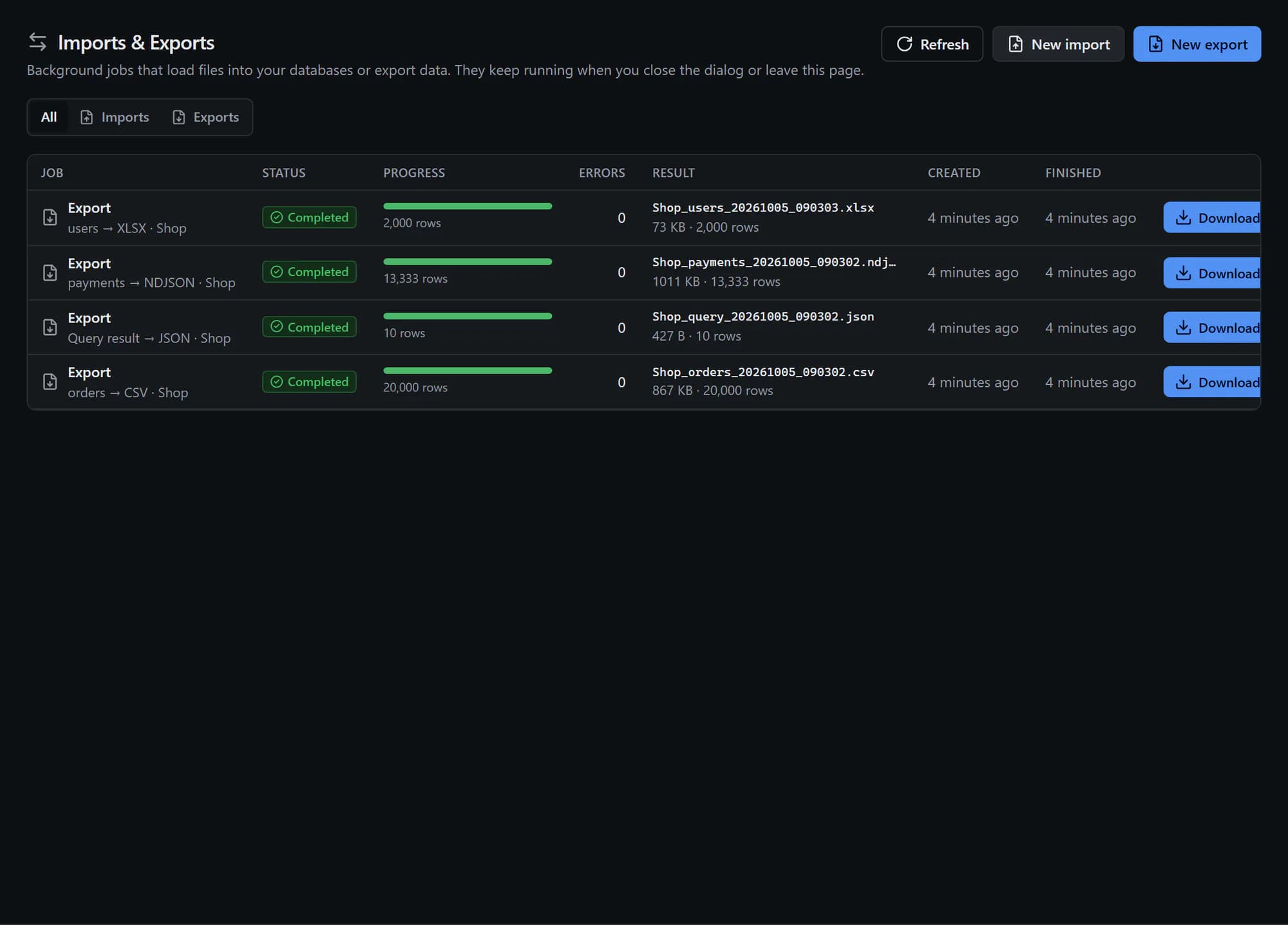
Export a table, a query or a whole database, or import a file into a table. Jobs keep running when you close the dialog or leave the page.
CSV, TSV, JSON, NDJSON, Excel and SQL
Live progress, per-row error isolation and a notification when done
CSV exports neutralise spreadsheet formulas
Take the tour
A closer look at the rest of DBHub
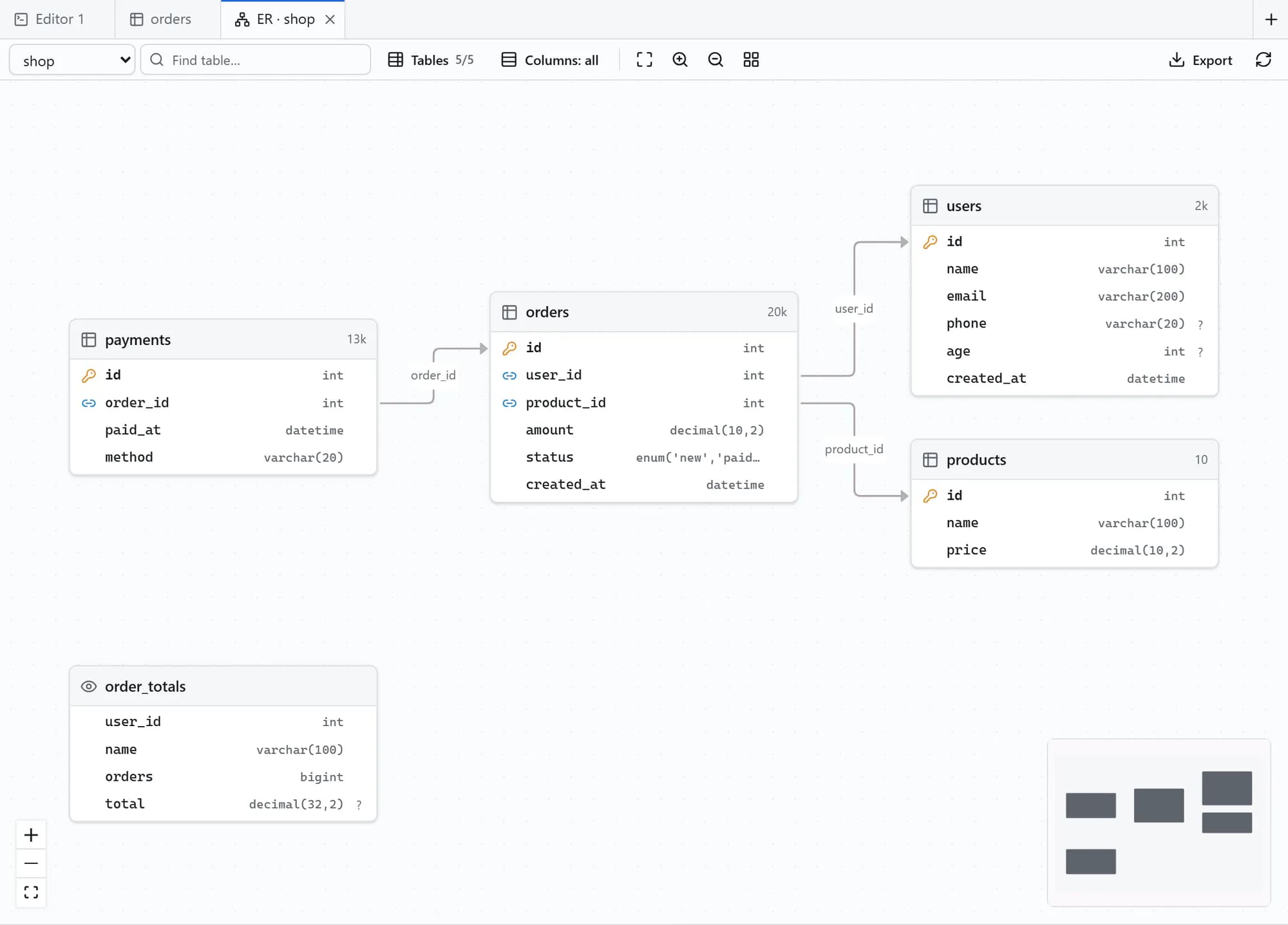
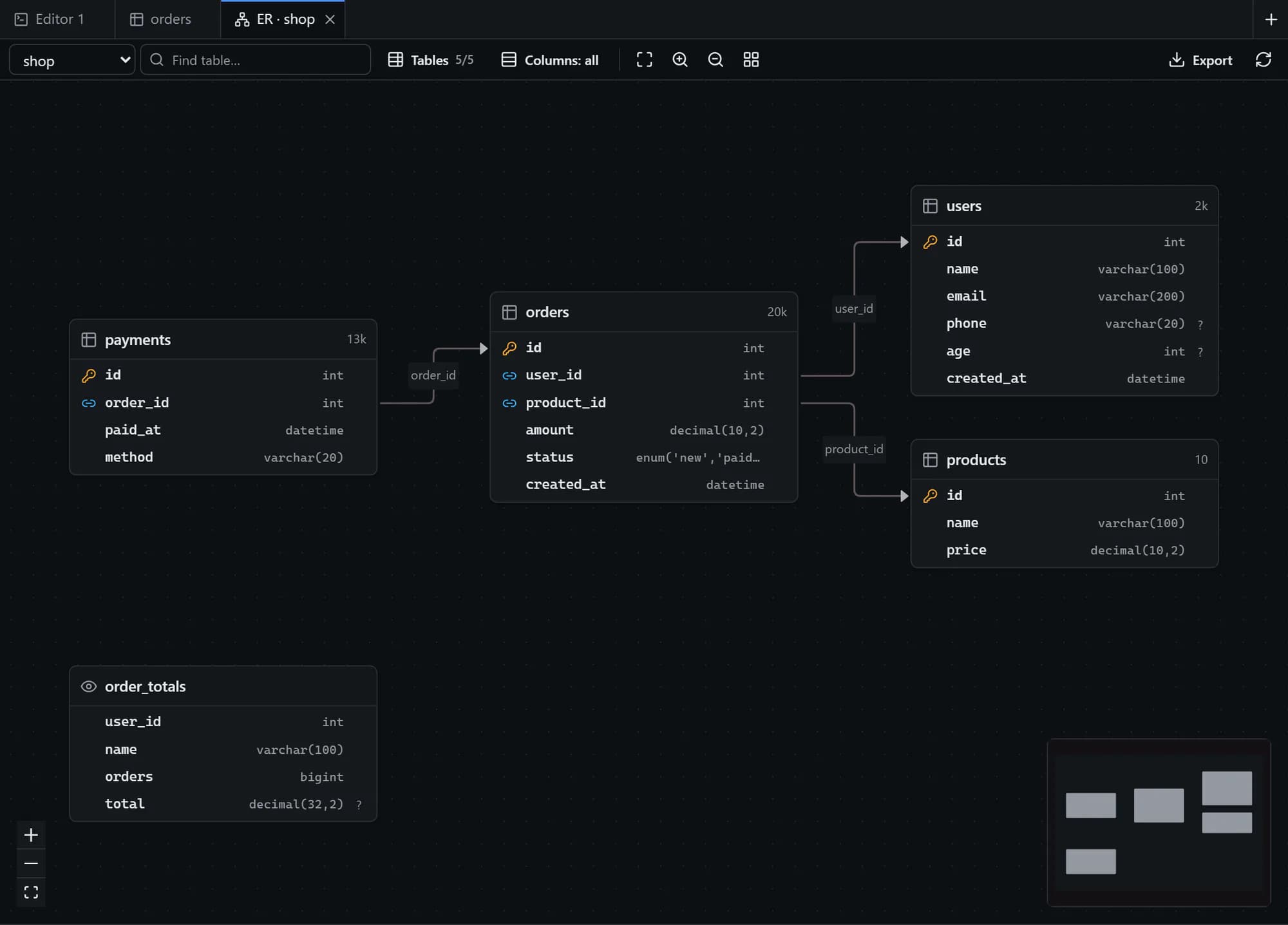
Tables and relationships drawn from your foreign keys, laid out automatically.
All features
Everything included, no plugins required
Each capability adapts to the engine you connect to: actions an engine does not support are hidden or disabled, with the reason shown.
Connections
Seven engines from a connection string or a form. SSL/TLS with custom CAs and client certificates, SSH tunnels with host-key pinning, read-only mode and development, staging or production labels.
Schema explorer
Databases, schemas, tables, views, routines and sequences, loaded on demand. Every table has an overview, structure, indexes, foreign keys, constraints, triggers and DDL.
Data grid
Server-side paging, sorting, filters and search. Edit cells inline with conflict detection, then insert, duplicate, delete or bulk update with a preview of the generated SQL.
Table designer
Create or alter tables, columns, indexes, foreign keys and constraints. Every change is shown as DDL before you apply it.
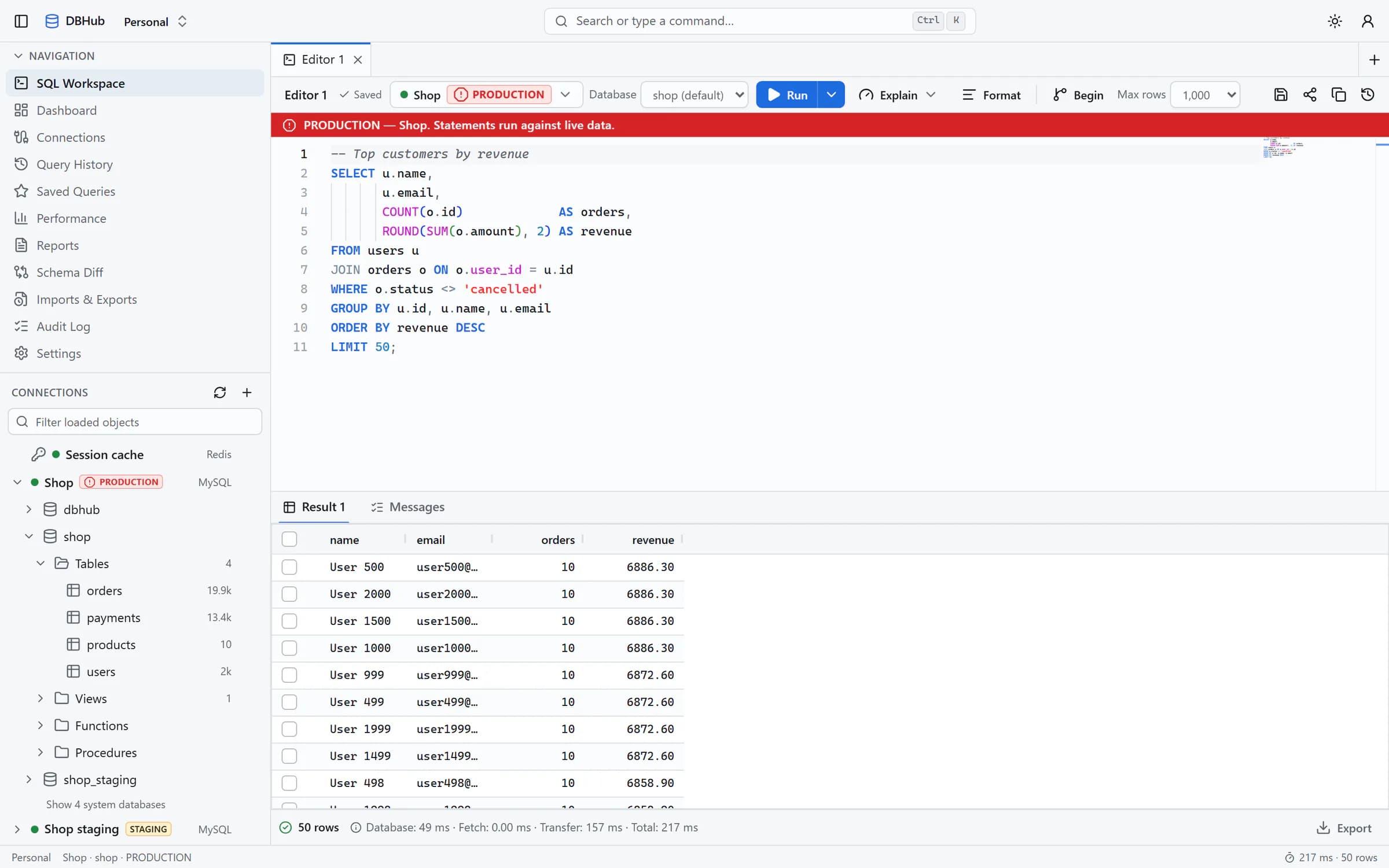
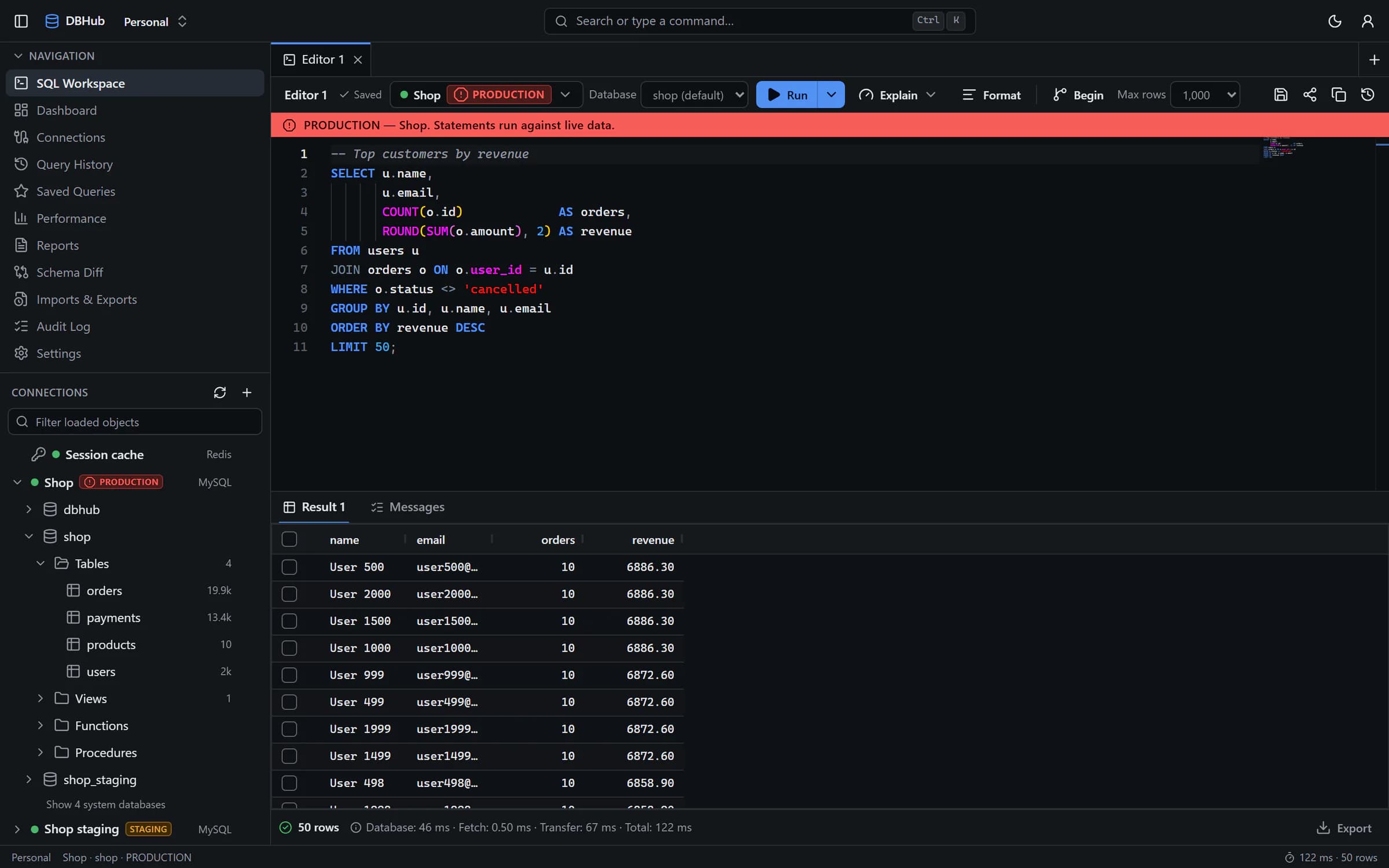
SQL editor
Monaco with schema-aware completion for aliases, joins and columns. Format, run a statement, a selection or a script, cancel long queries, and keep your tabs when you navigate away.
Query safety
Statements are classified as read, write, DDL or admin. Read-only connections, production protection and row estimates for mass UPDATE or DELETE stop accidents before they run.
Execution plans
EXPLAIN and EXPLAIN ANALYZE as a visual plan tree, with findings, join analysis and index suggestions that point at the slow step.
Performance dashboard
Query counts, average, P95 and P99 latency, latency categories you can tune, slow queries and the most expensive statements over time.
Import & export
CSV, TSV, JSON, NDJSON, Excel and SQL. Jobs run in the background with live progress, isolate bad rows, and insert, skip or upsert on conflict.
History & saved queries
Every execution is searchable with its timing and status. Save the queries you reuse and share them with your workspace.
Reports
Ready-made reports on database and table size, row counts, index usage, unused indexes, slow queries and errors, exportable as CSV or JSON.
Schema diff
Compare two schemas, for example staging against production, and get the migration SQL. Destructive changes are flagged and nothing runs until you decide.
ER diagrams
Relationships drawn from your foreign keys and laid out automatically. Filter tables and columns, zoom, and export the diagram.
Redis browser
Scan keys by pattern and type, inspect and edit values of every type, manage TTLs, and use the built-in CLI and memory view.
Workspaces & roles
Share connections and queries with your team, with roles that decide what each member is allowed to do.
Audit log
Sensitive actions in every workspace, such as exports, are recorded with who did what and when.
Guest mode
Try DBHub without an account. Your editors, connections and history are kept in this browser only, and come back on your next visit.
AI assistant (optional)
An assistant for your SQL that receives schema metadata only, never your row data. It stays off unless an administrator enables it.
Secure by design
Your data stays behind your server
DBHub is self-hosted. Queries run on the DBHub server, which checks who you are, what your role allows and whether the statement is safe before anything reaches your database.
Every query runs on the DBHub server. The browser never talks to your database.
Credentials are encrypted with AES-256-GCM and never returned by the API.
SSRF protection and a network policy decide which database hosts are reachable.
Production connections ask for confirmation before writes, DDL and mass updates.
Role-based permissions per workspace, rate limits and a complete audit log.
SSH tunnels with host-key pinning and TLS with your own certificate authority.
Your browser
UI only, no database traffic
DBHub web
Same-origin /api proxy
DBHub API & worker
Auth, permissions, safety, audit
Your databases
Reached only from the server
Get going in minutes
From sign-in to your first query
1
Sign in or continue as a guest
Accounts keep connections, history and saved queries. Guests can start immediately.
2
Add a connection
Paste a connection string or fill in the form, test it, and label it development, staging or production.
3
Explore, query and share
Browse the schema, run SQL, analyse plans, export results and share queries with your workspace.
Open your first database in DBHub
Sign in to pick up where you left off, or continue as a guest to try it right now.